SurveyMonkey - Case Study: Modernizing MOFU Content Publication: Reports & Guides
This project modernized SurveyMonkey’s Reports & Guides to deliver clearer insights, stronger brand credibility, and more persuasive mid-funnel experiences.
Role:
Design Lead
Collaborators:
Demand Gen, Brand Design, Content, User Research, Product Design
Problem
Brand impressions were down due to strategic pivots, tonal repositioning, competitive shifts and user beliefs.
Customers felt the brand was outdated, generic, old, and untrustworthy. We needed to address these concerns in our content and collateral
We asked
How might we modernize the users MOFU content experience, drive engagement, address accessibility issues, and improve brand equity to boost consideration?
Solution
SurveyMonkey needed to be more:
Modern, Approachable,
Relevant, & Trustworthy
KPIs
Modern - A bold flexible design system
Approachable - Clean user centered design
Relevant - Trend setting, delightful insights
Trustworthy - Straight talk, no fluff
Deliverables
A user focused template showcasing modular, portable components designed for accessibility
Kickoff:
Audit, Research, and Discovery
Challenges and considerations
Evaluating content marketing we found areas to elevate the experience and create stand out brand moment to rebuild relevance and address our KPIs

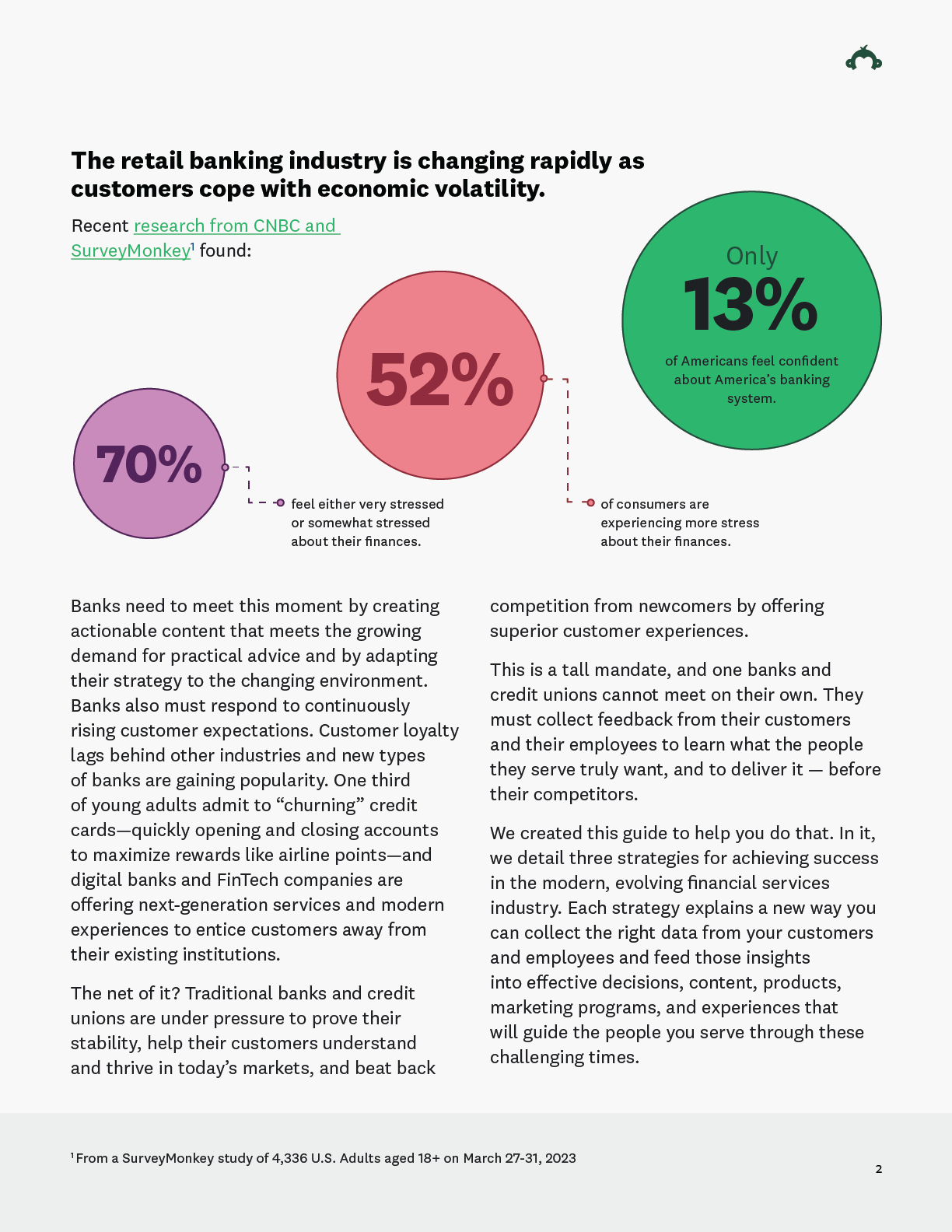
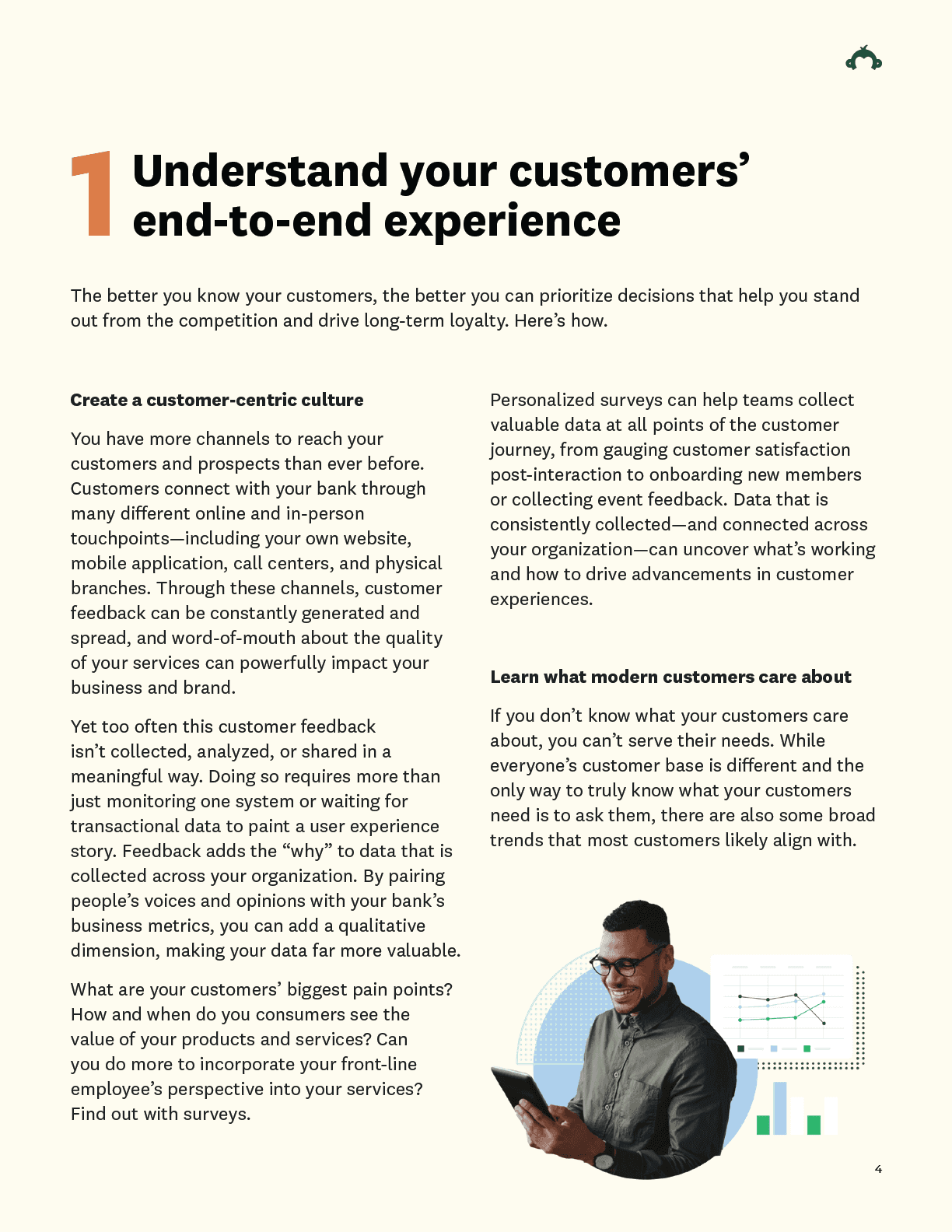
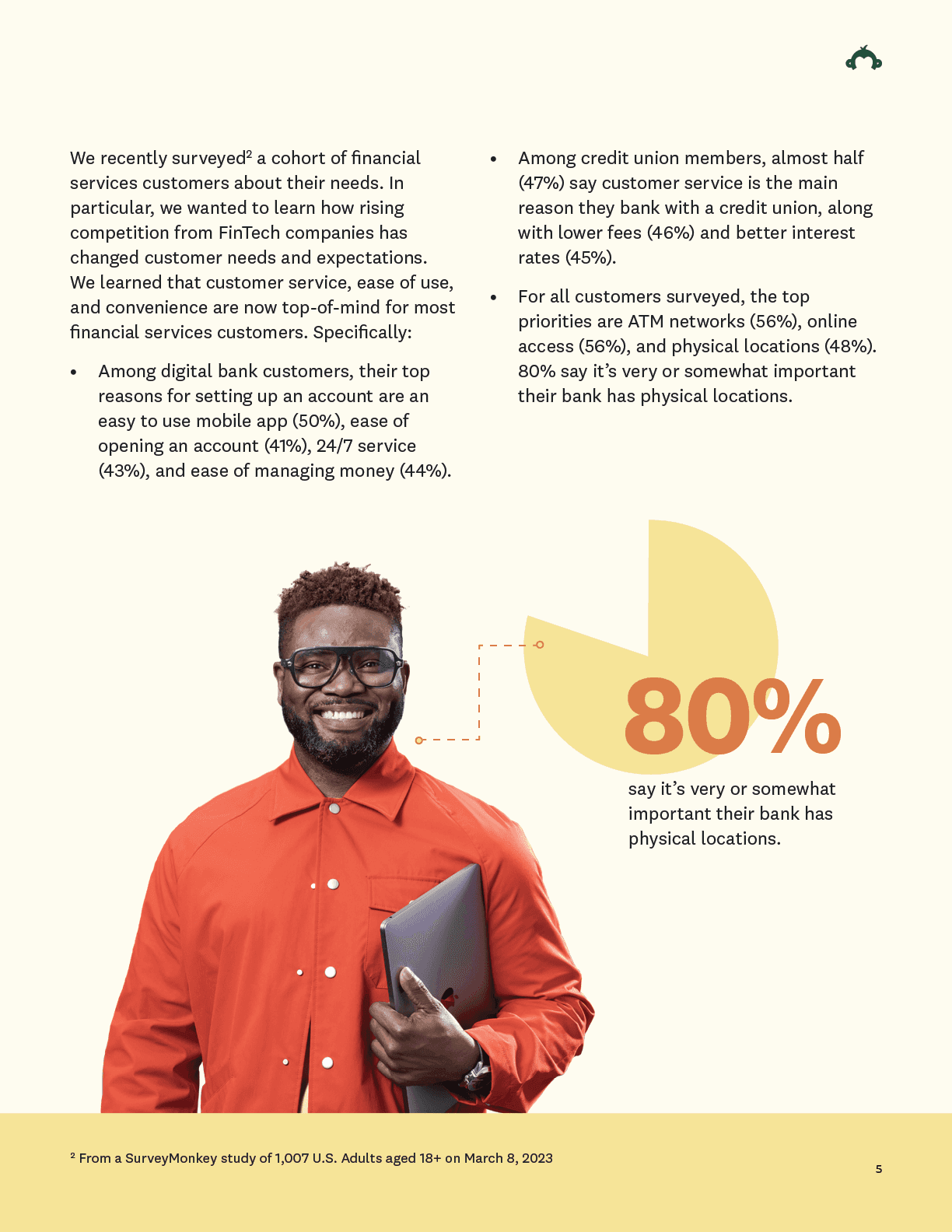
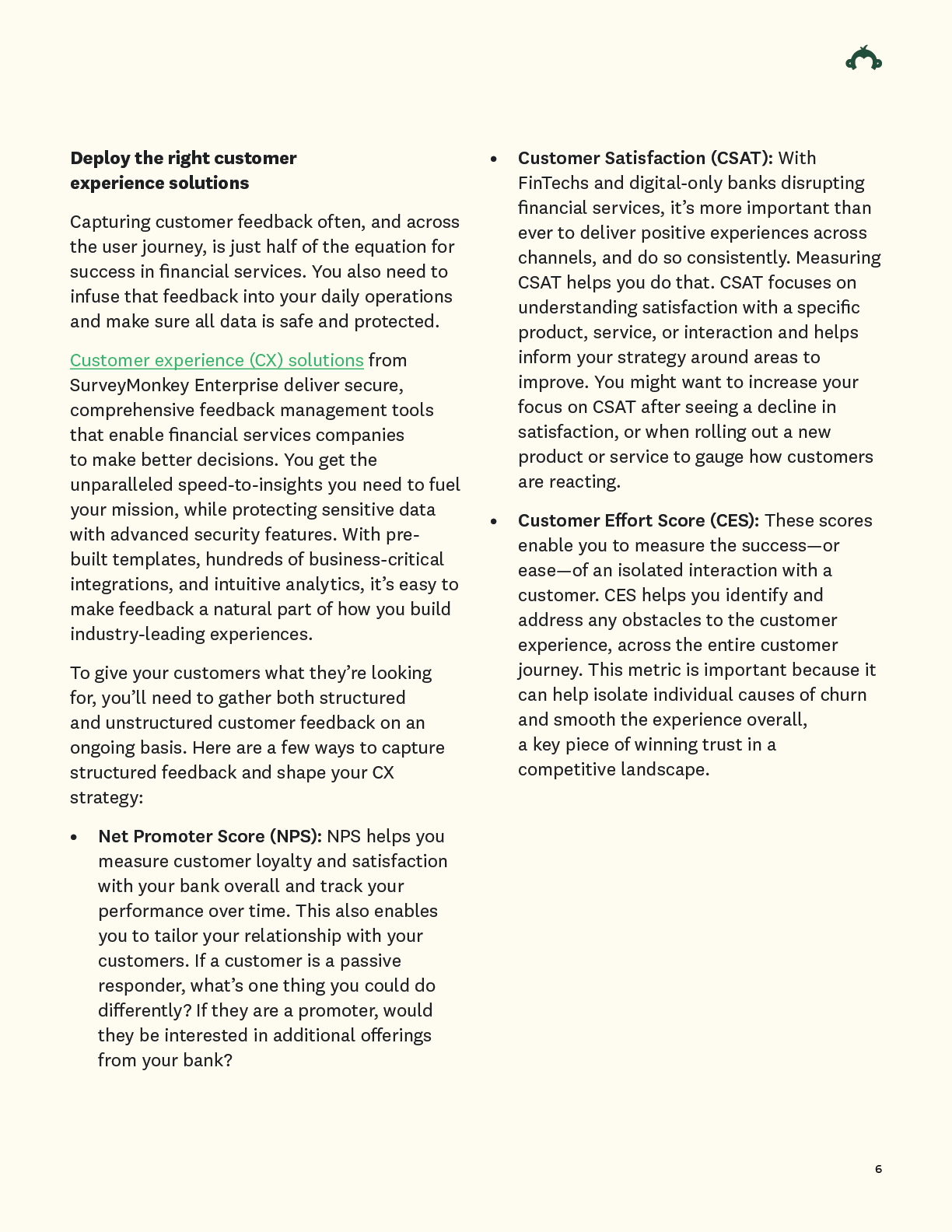
Previous Content exp.
• 2 column layout: Encouraged large blocks of dense text
• An unbalanced photo experience: A mix of brand and stock photography
• Color: Applied decoratively and lacked a design motivation
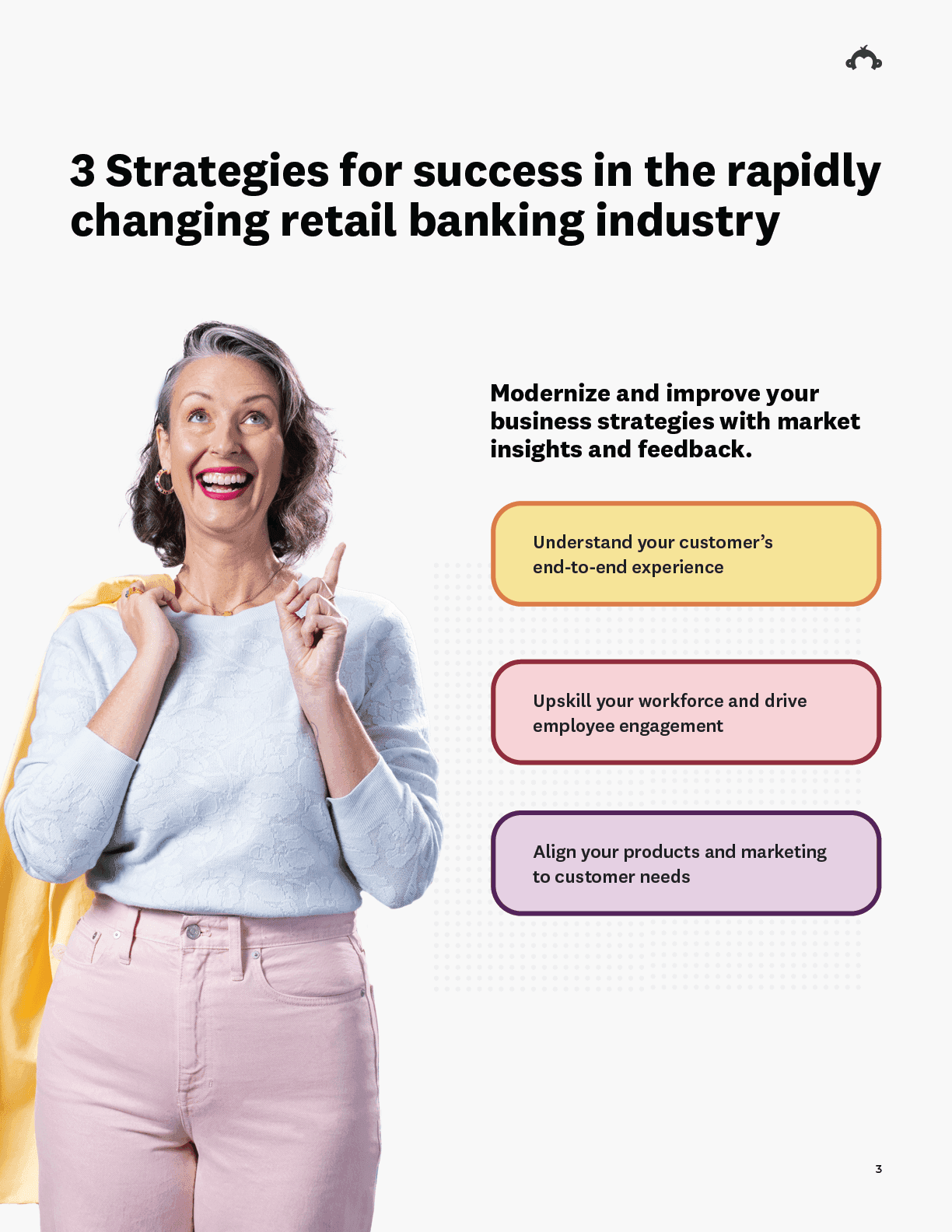
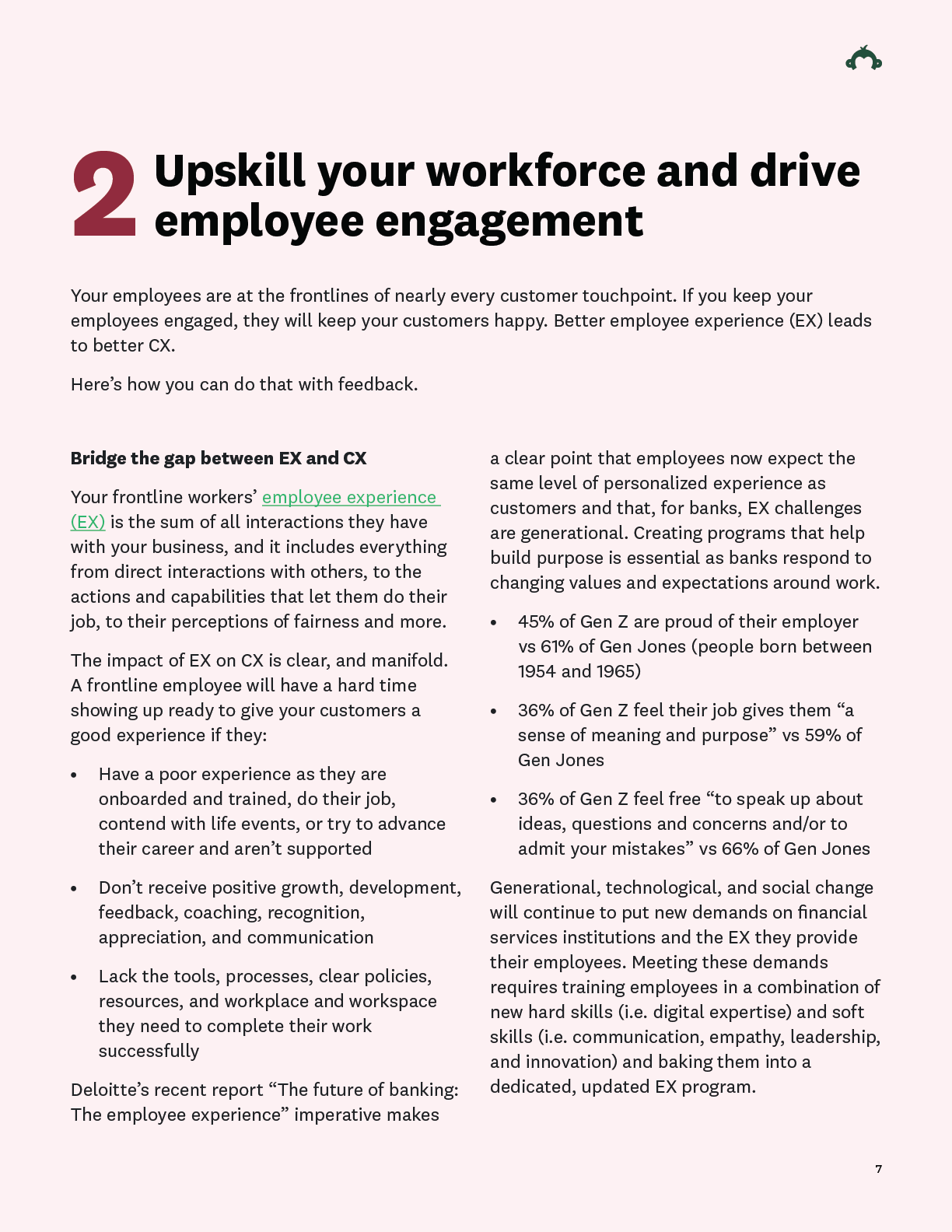

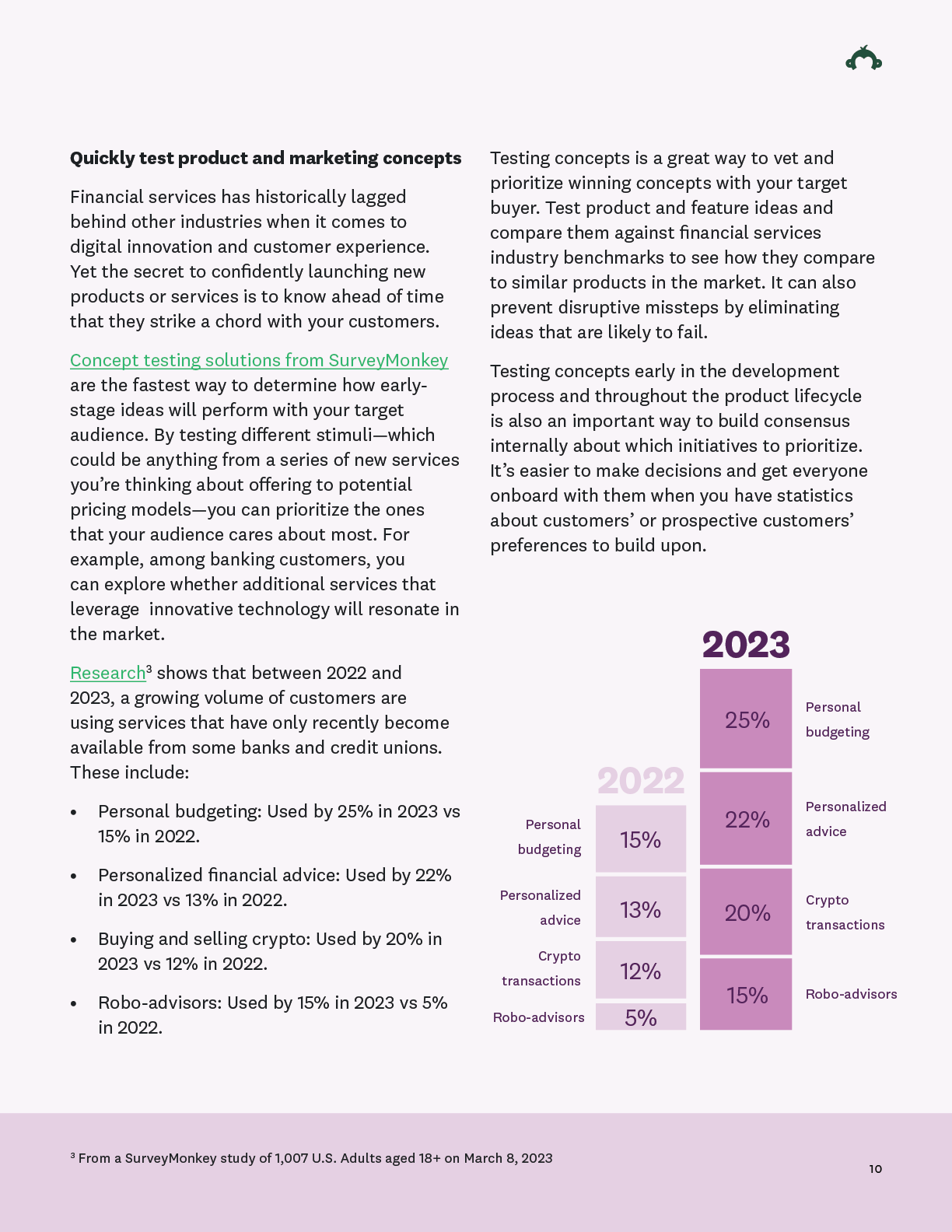
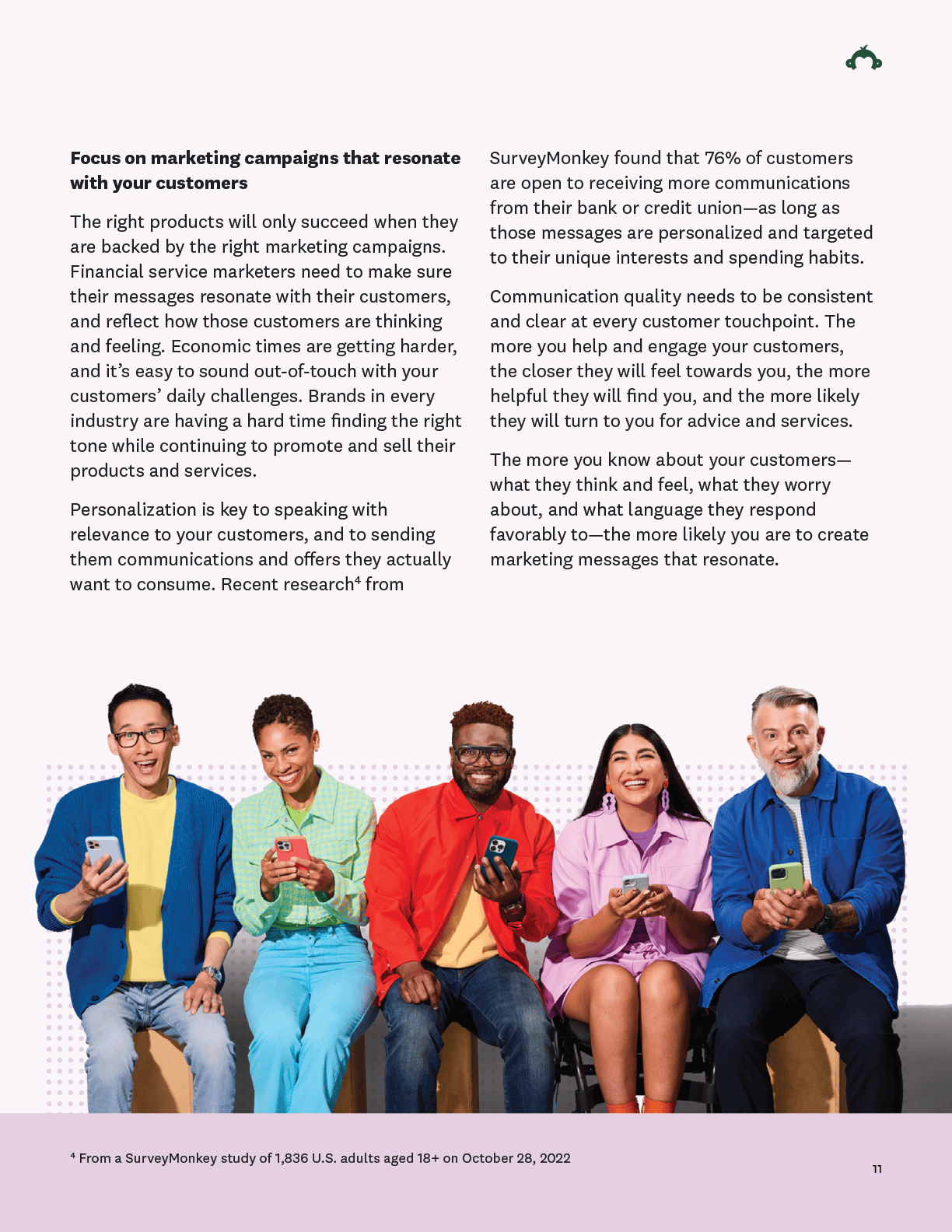
• No clear infographic style: Hieroglyphics styled iconography and data visualizations to fill illustration gap
• No consistent navigation or T.O.C. (Table of Contents): Users dependent on memory to find information
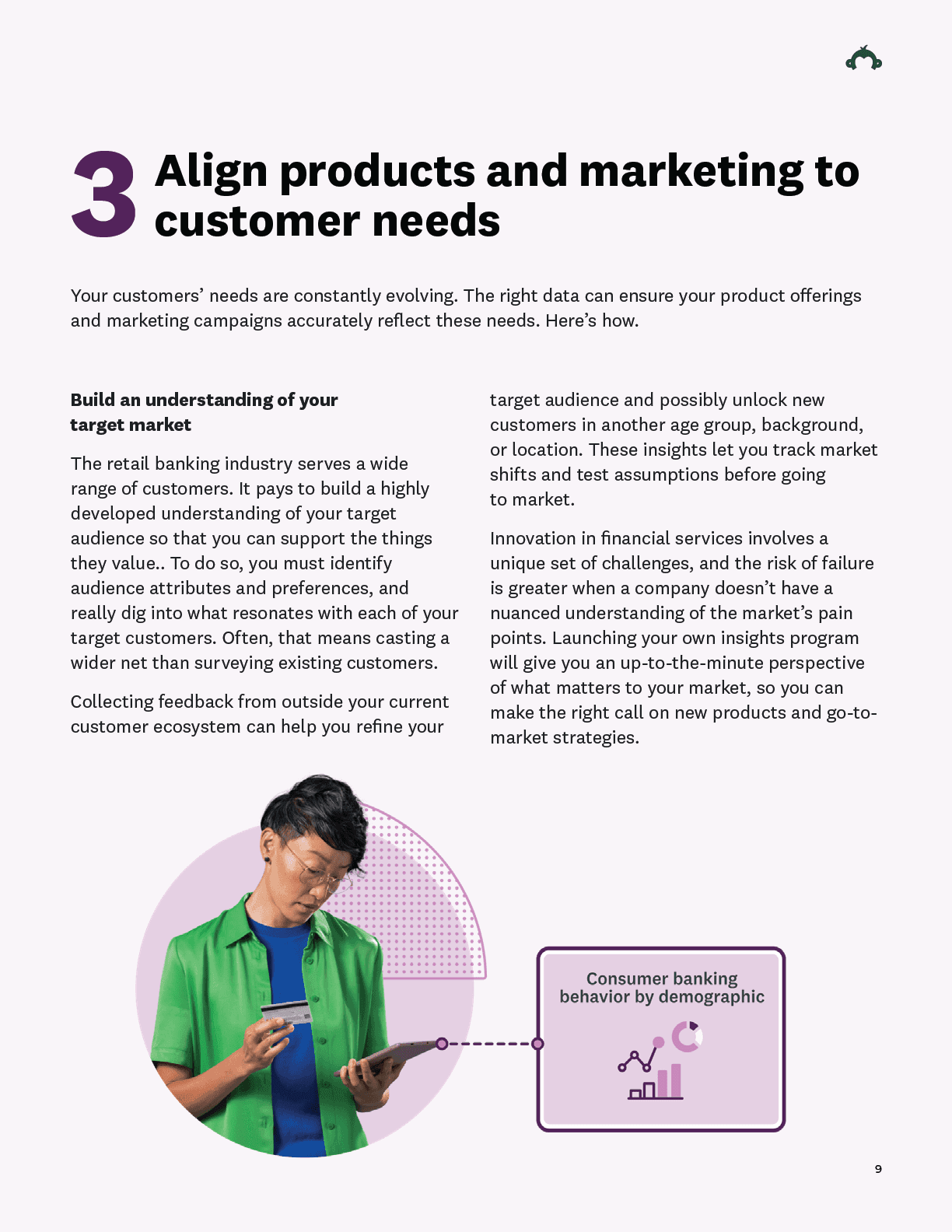
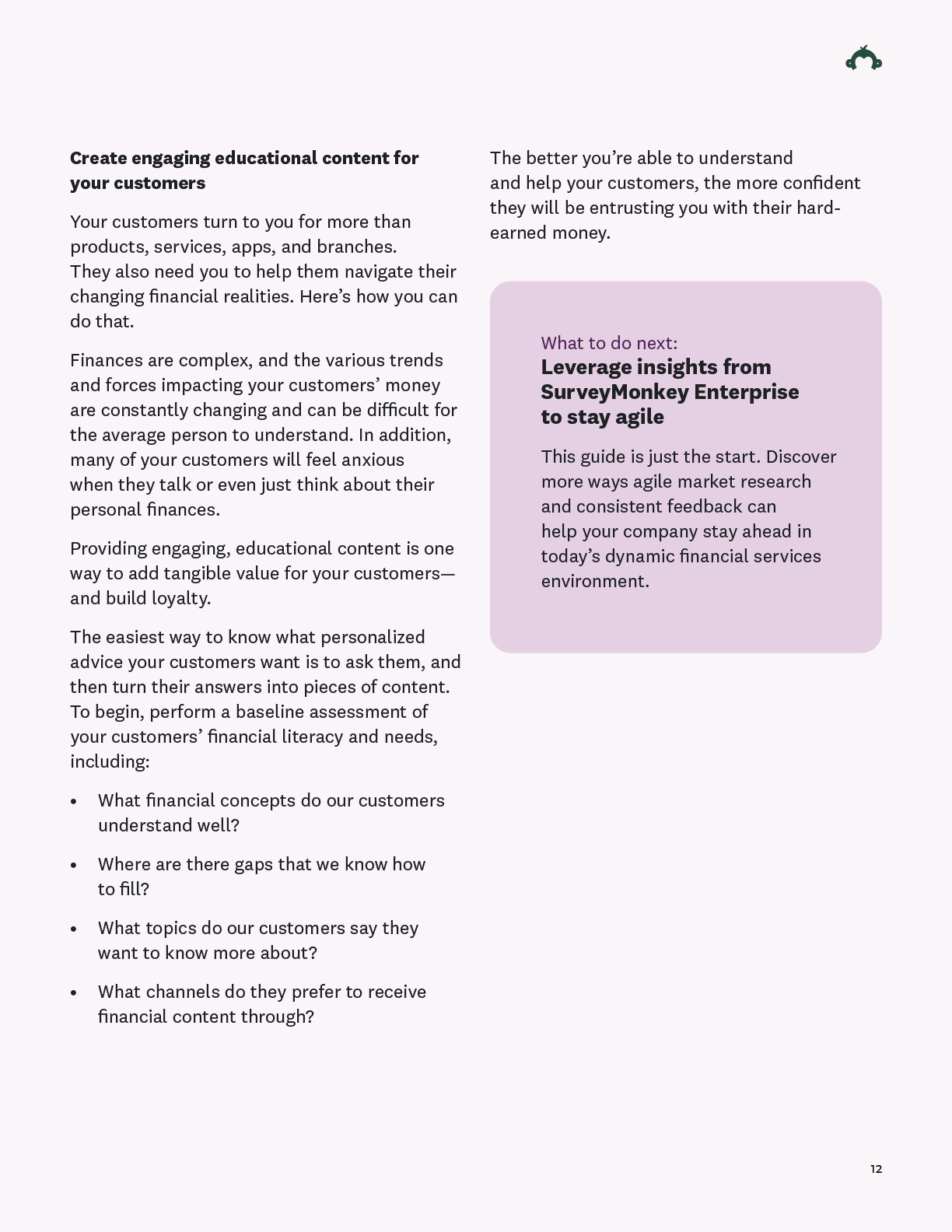
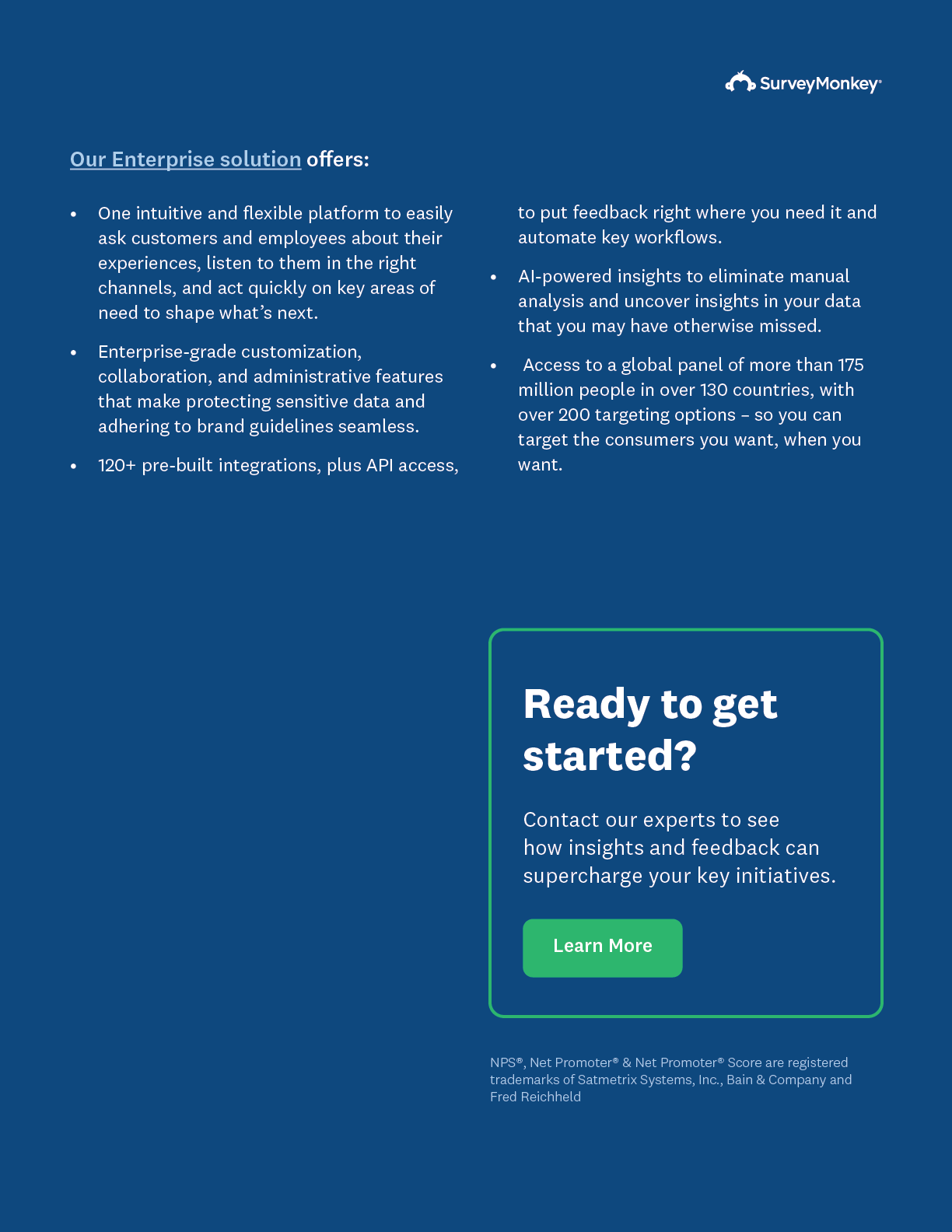
Post audit action plan:
• Embed Design with Content at kickoff to clarify taxonomy, identifying points of emphasis, and create snackable, cross-channel, digestible bites.
• Collaborate with User Research to resolve friction points in the data consumption journey and improve decision-making tools.
• Simplify visuals: Less is more.
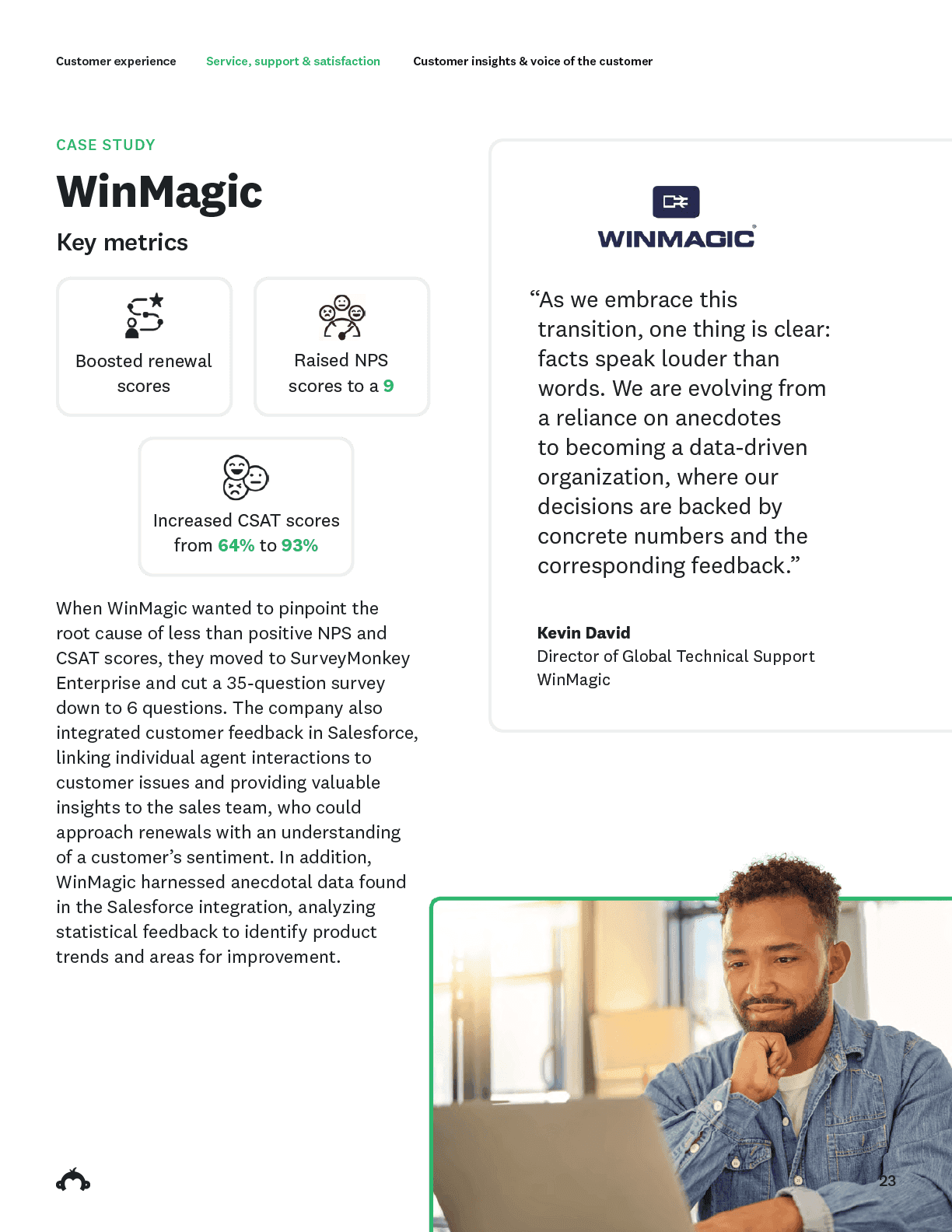
Revised design R01: Vertical design
How did we improve the experience?
Immediate impact
A deeper collaboration with our Content partners clarified function in content types and features, defined type hierarchy, and establish clear patterns to express information with improved accuracy
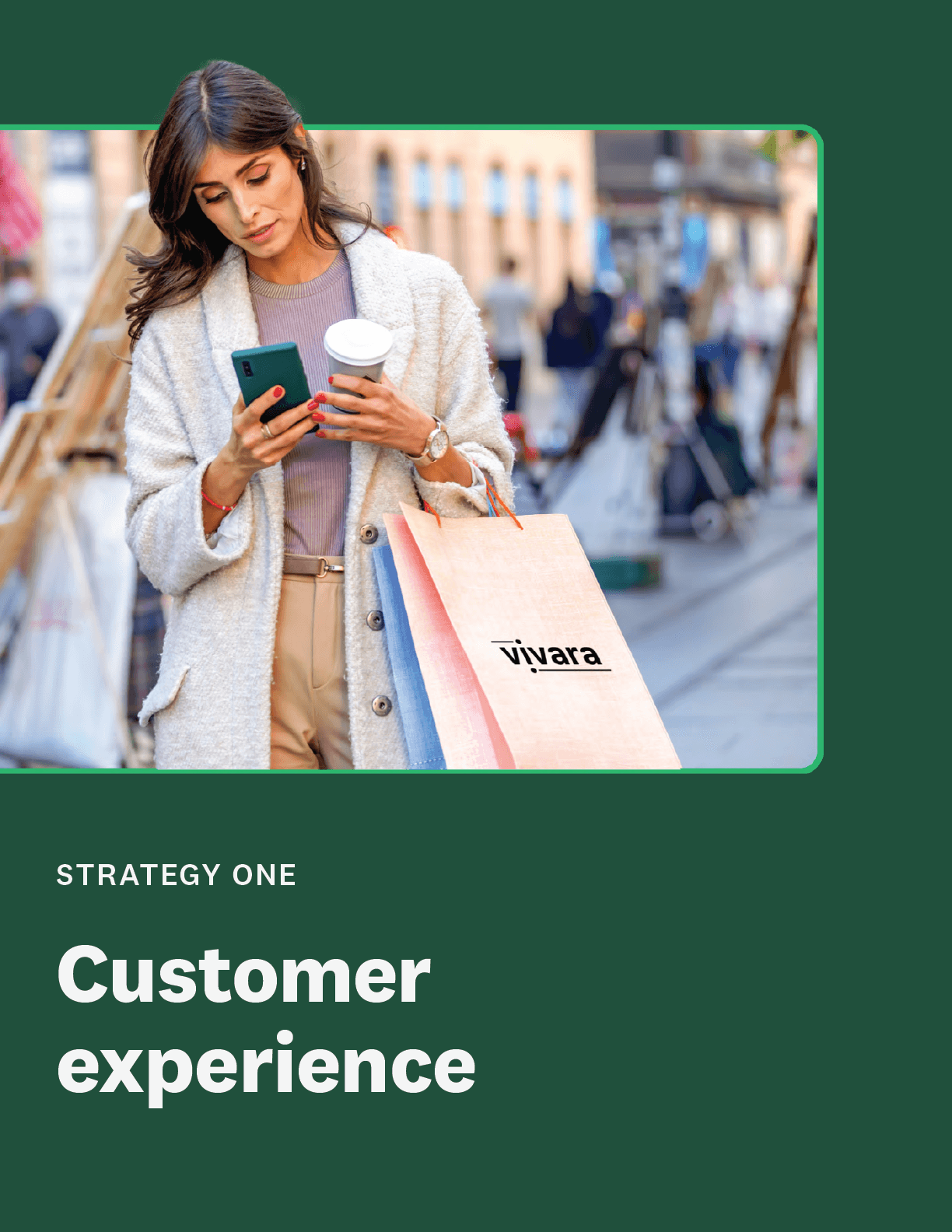
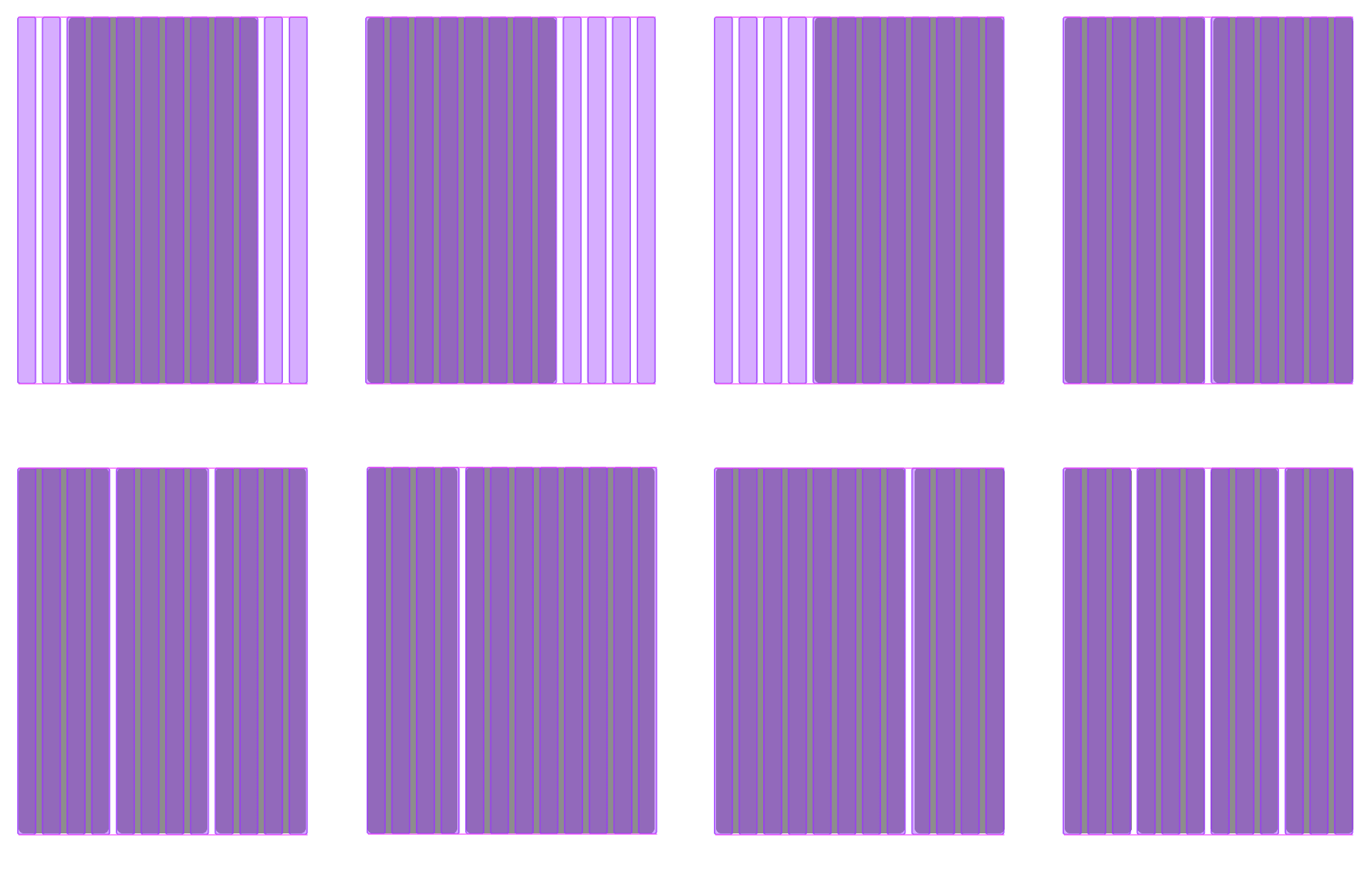
Base 12-column grid layout
Template Improvements
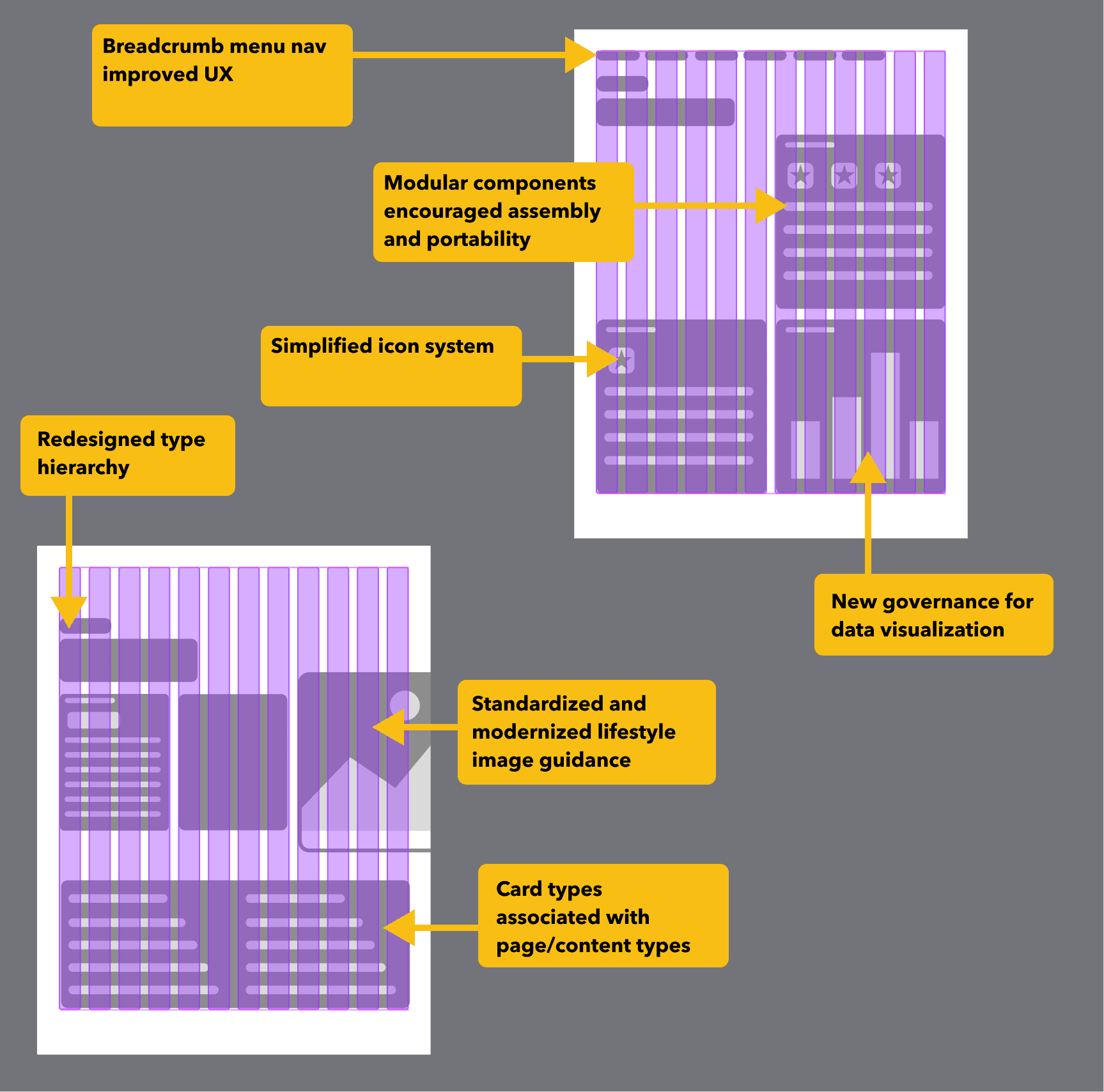
Landmarks of the new design
12 columns was the professional, flexible, and future-proof choice providing:
Flexibility Without Rigidity, Works Across Page Sizes, Editorial Precedent, Better Typographic Control, It Feels Structured but Invisible
Select Content Discoveries:
Key takeaways
Customer stories
Quote treatments
Attributions
Infographics
Wayfinding
Navigation
Card types
Advanced organizers
Type and icon rules
Highlights
• Clear table of contents and chapter pages to signal the change of subject and focus
• A cohesive color story focused on primary brand tones for a unified modern look and feel
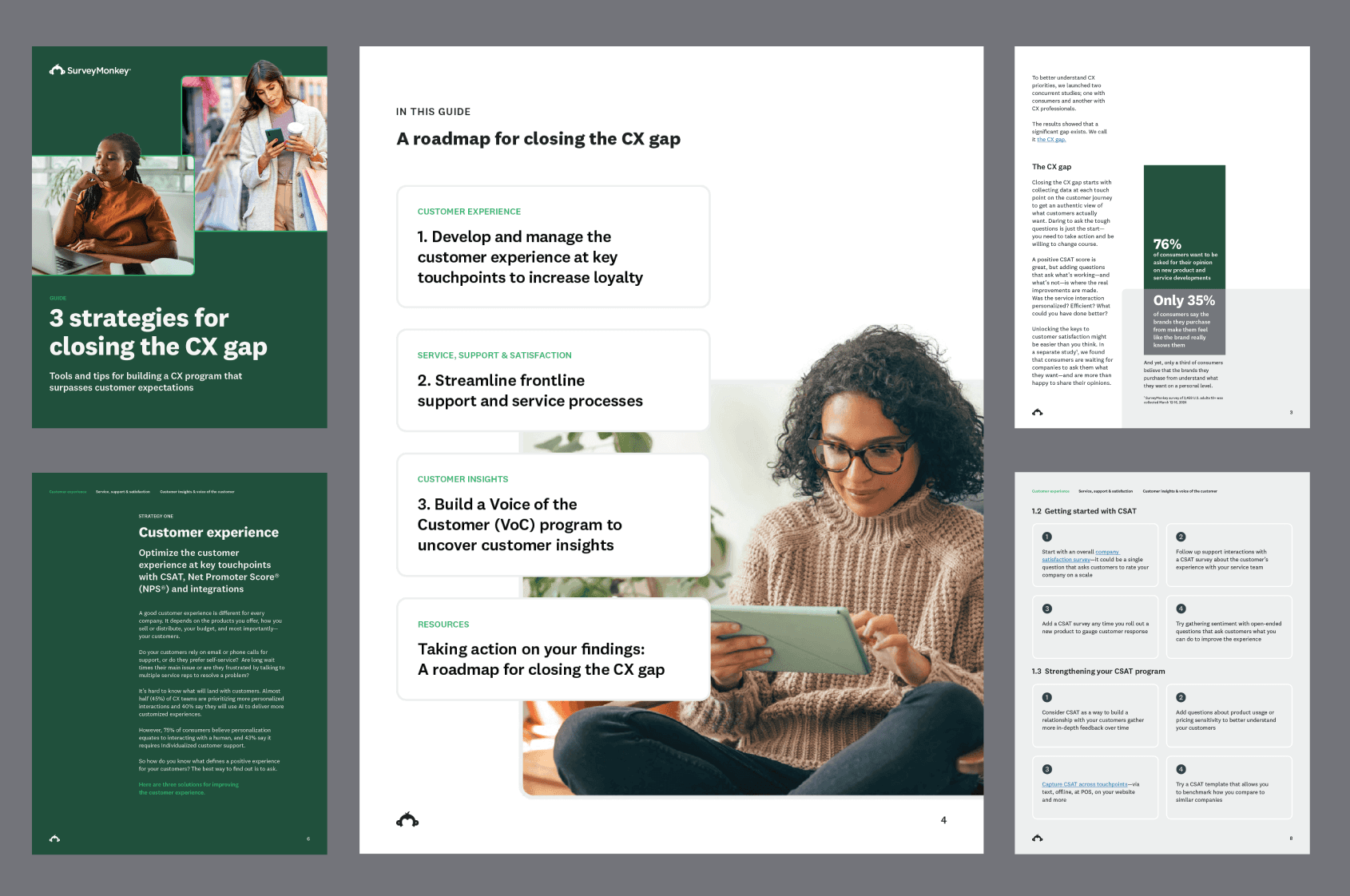
• Standardize data visualization to improve comprehension
• Icons primary function as advanced organizers not decorative elements
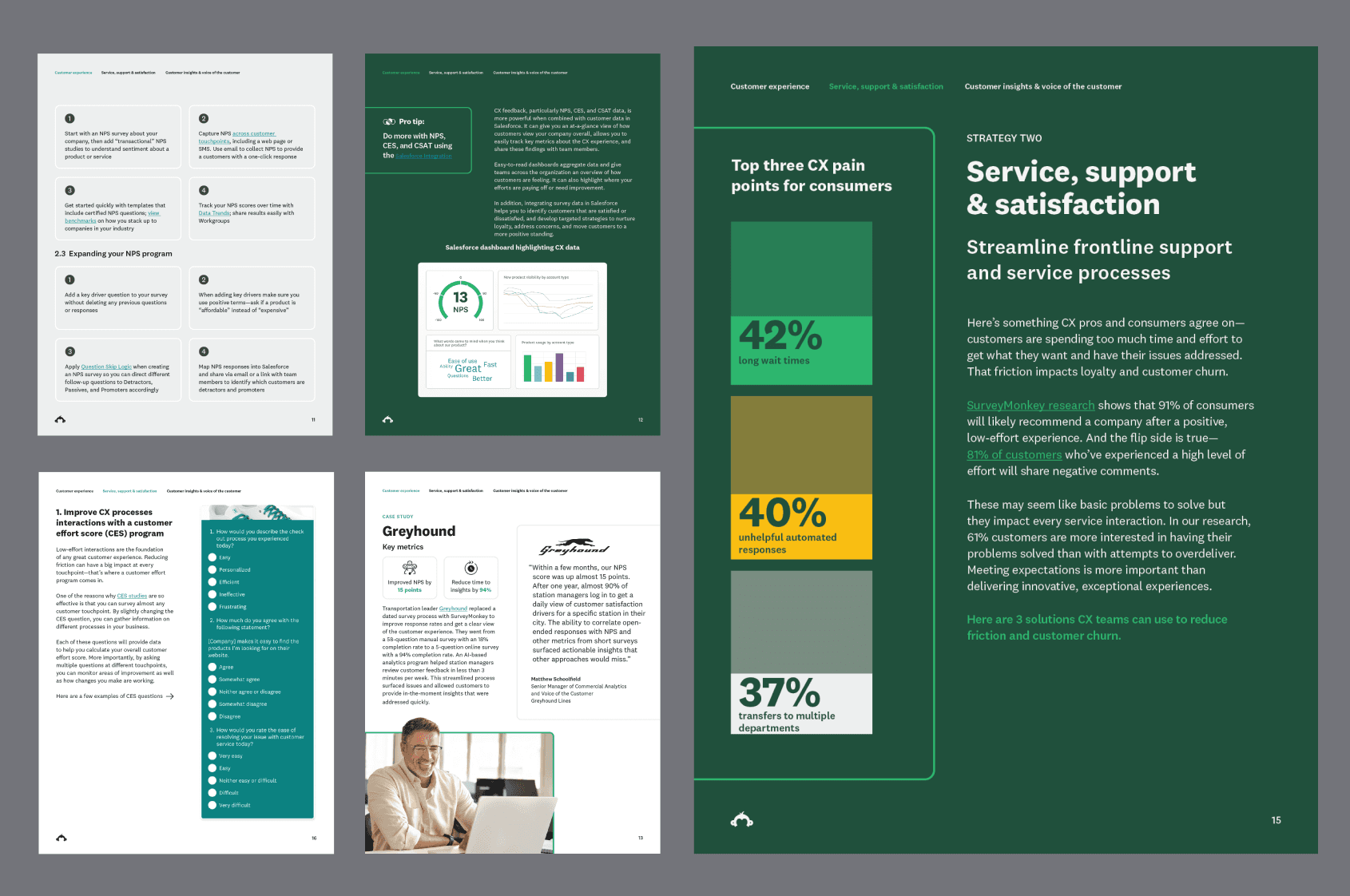
• Prioritize user onboarding with hi fidelity product visualizations to showcase the product
• Less copy density and more white space to improve focus and legibility
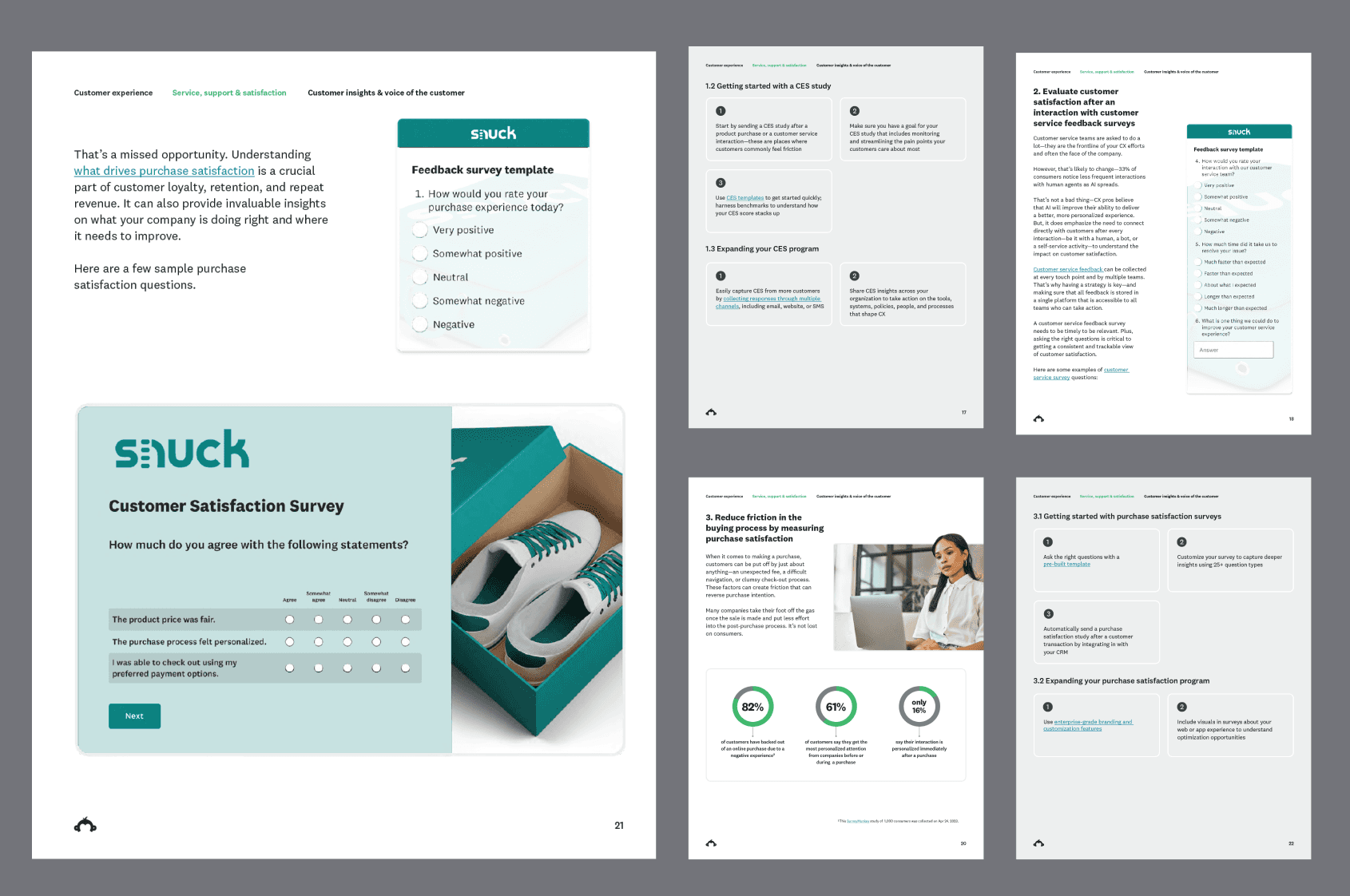
• Infographic component to emphasize impactful data stories
• Explicit technical style guidance for brand cohesion (tables, methodologies, operations and framework graphics)
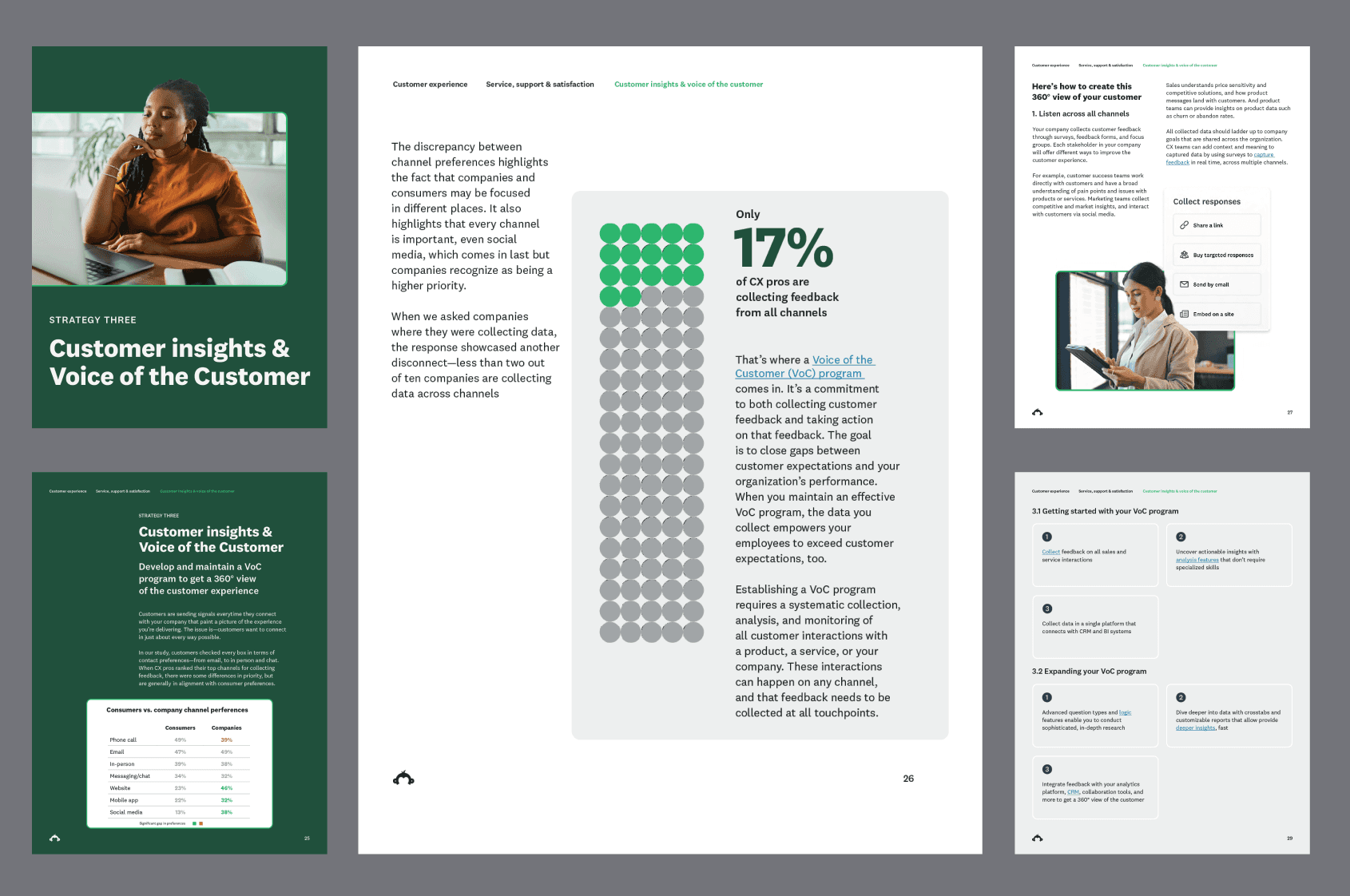
UX: Navigation improvement

The top of page breadcrumb menu improved on the previous design without navigation
However, stakeholder feedback revealed this design wasn’t intuitively recognizable:
“We thought it just showed what section we were in but didn’t know it would take us to different chapters.”
remove Chapter pages to Improved UX
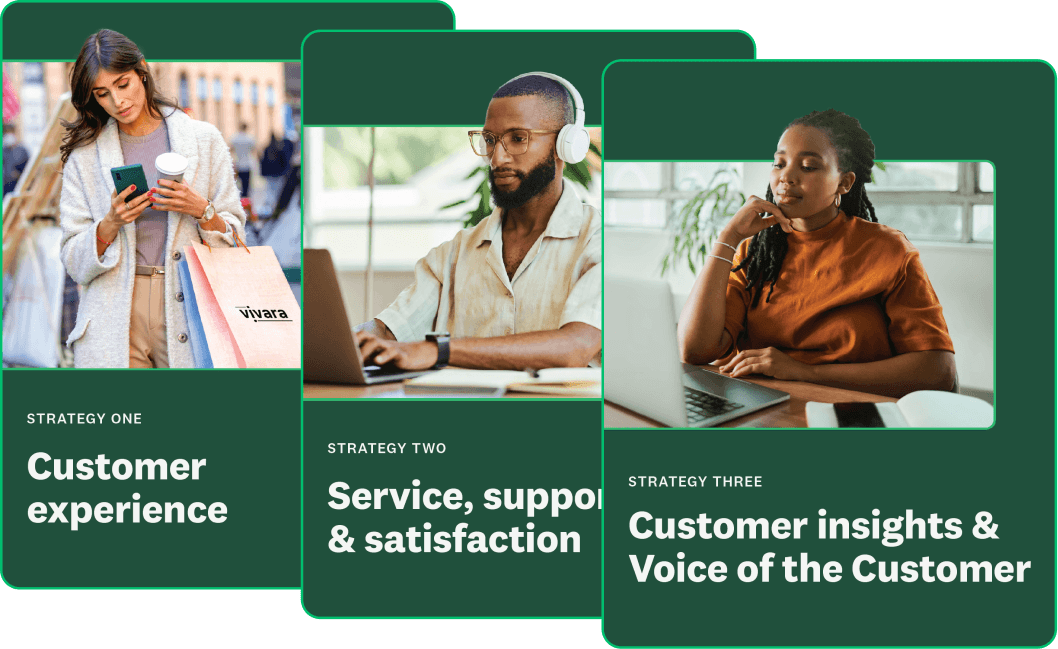
Design was holding to traditional content publication habits based on analog consumption
The T.O.C. and chapter pages could be eliminated or replaced to gain more real estate for relevant content and UX improvements
Product onboarding
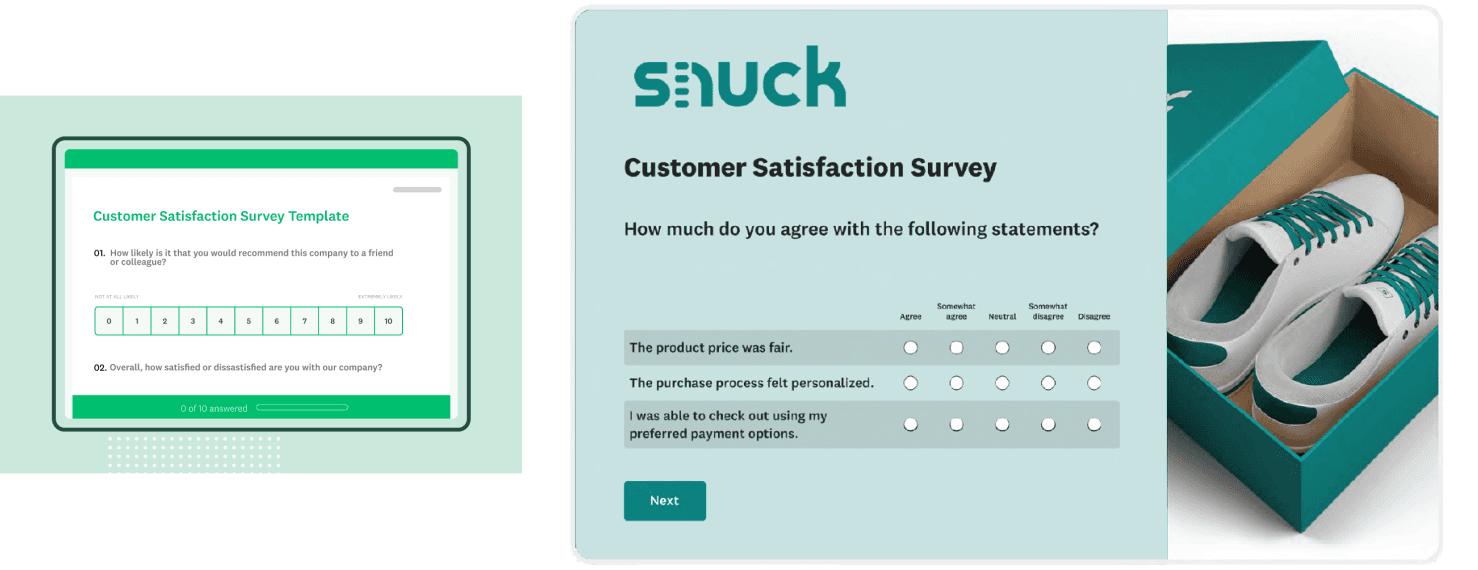
Low-fi abstract product visual were replaced with high fidelity graphics to showcase true product capabilities
Dashboard approach R02:
A horizontal design
Immediate impact
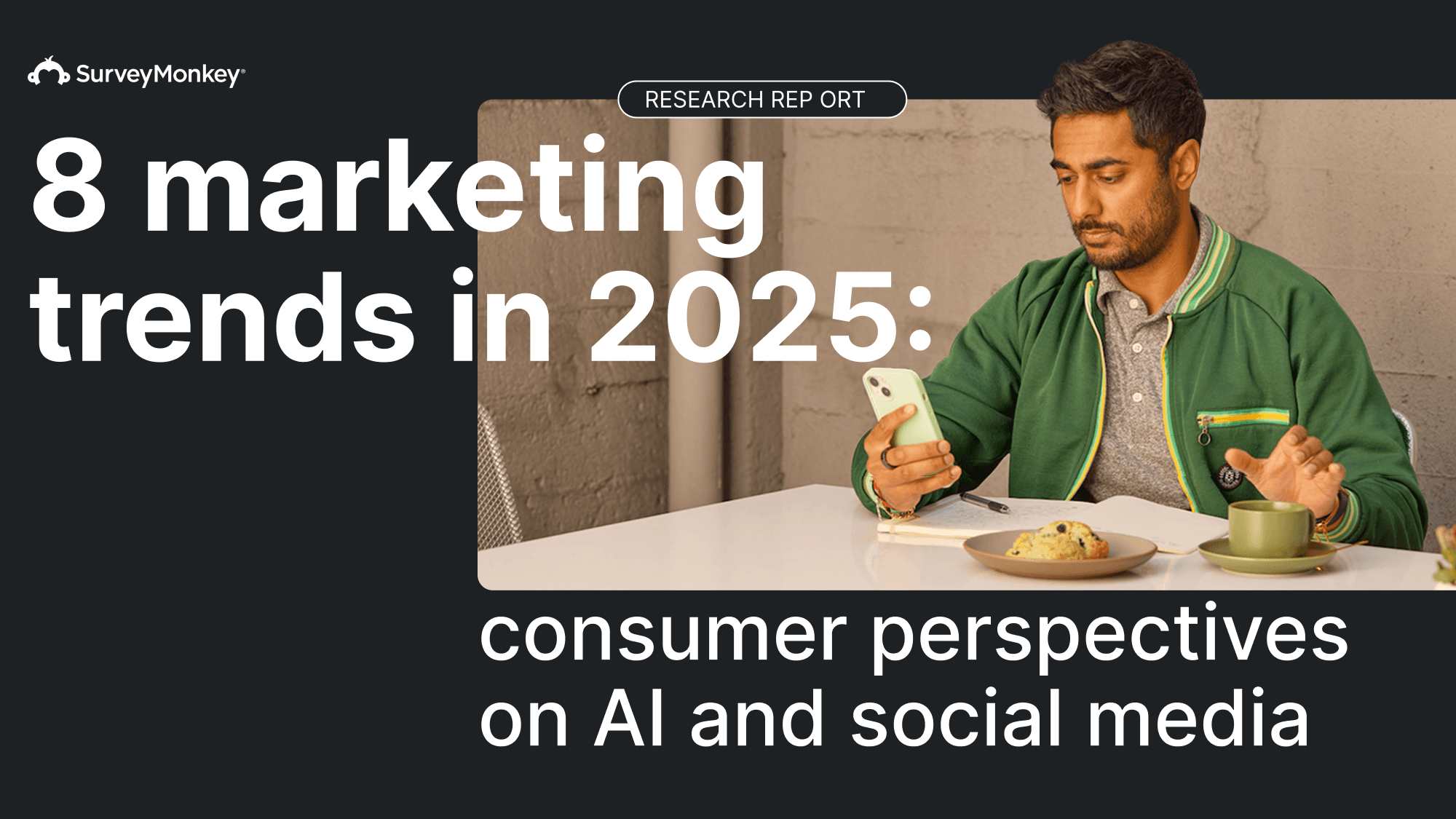
Introduce horizontal layout to emulate desktop environment or slide deck
Pages functioned as dashboards
The new layout increased real estate and content breathing room to improve focus and specificity in content
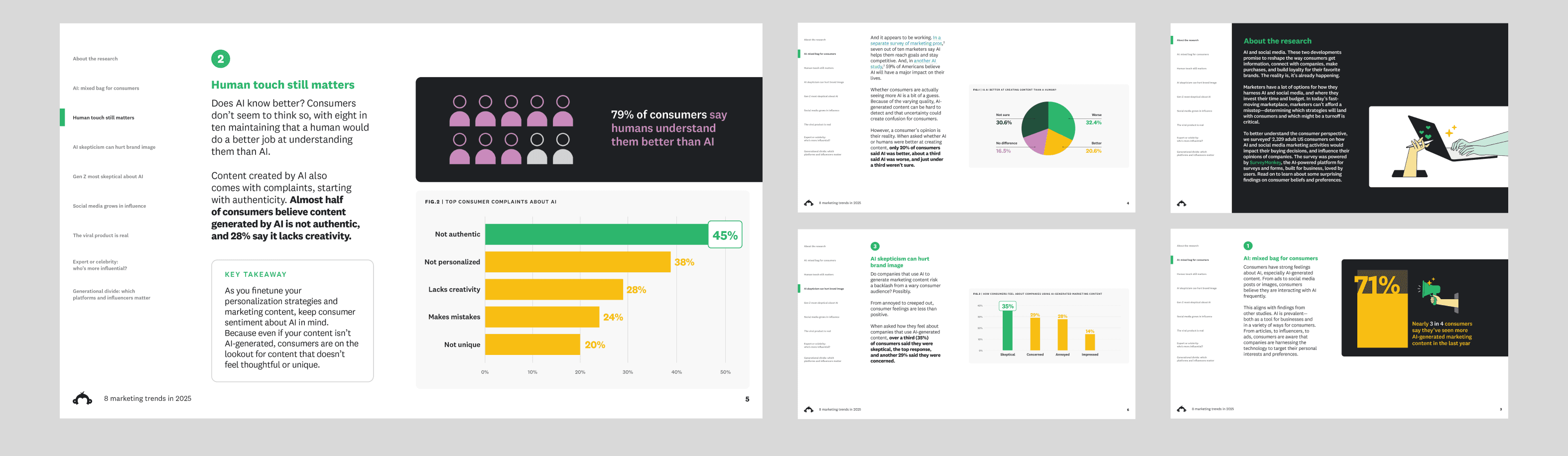
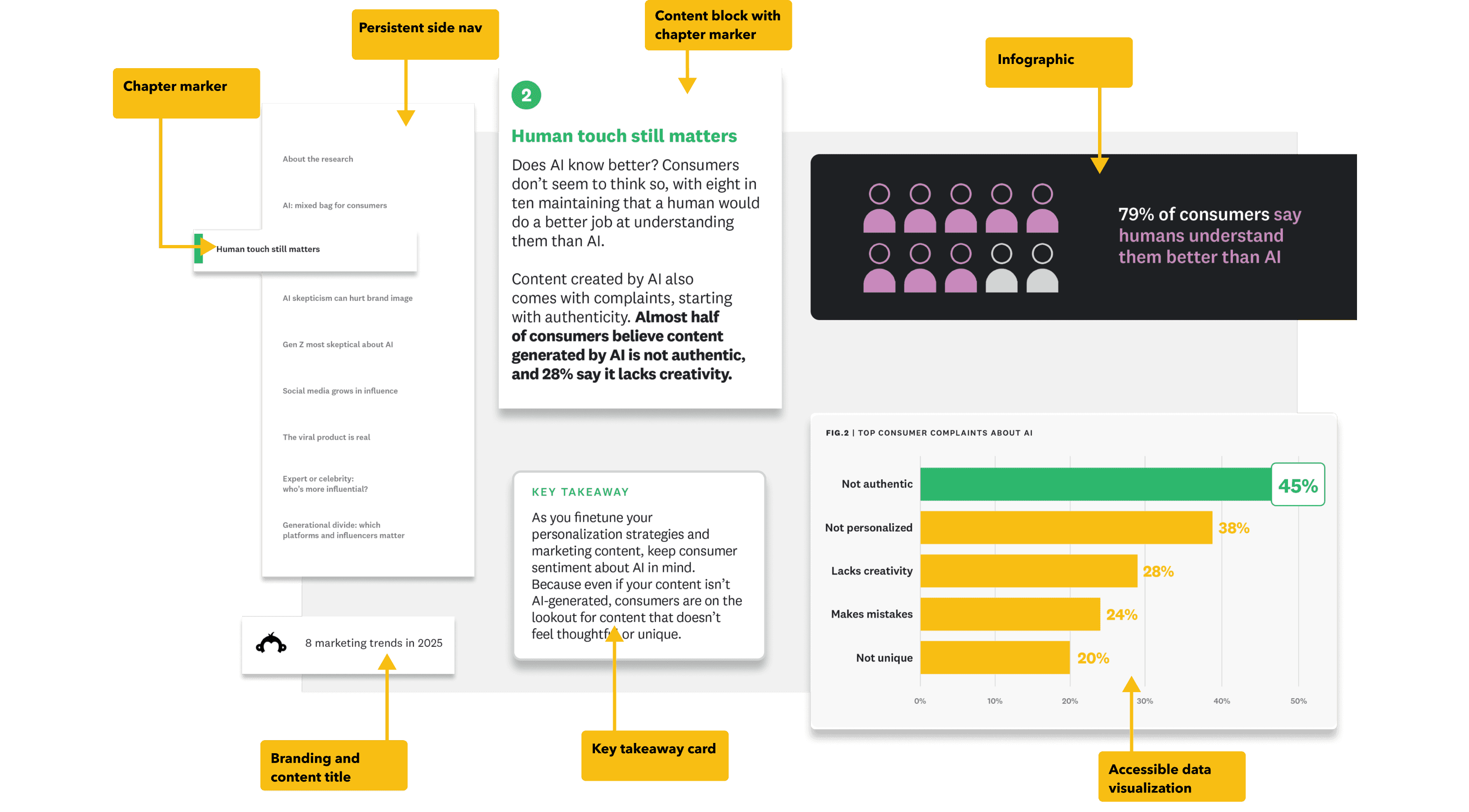
Persistent navigation allowed us to surface more granular information
Eliminating T.O.C. and chapter pages helped users focus on specific areas of interest by removing clutter
We also gained a new narrative space inside the nav itself and UX upgrade—nav as walk-through and a guide within the guide
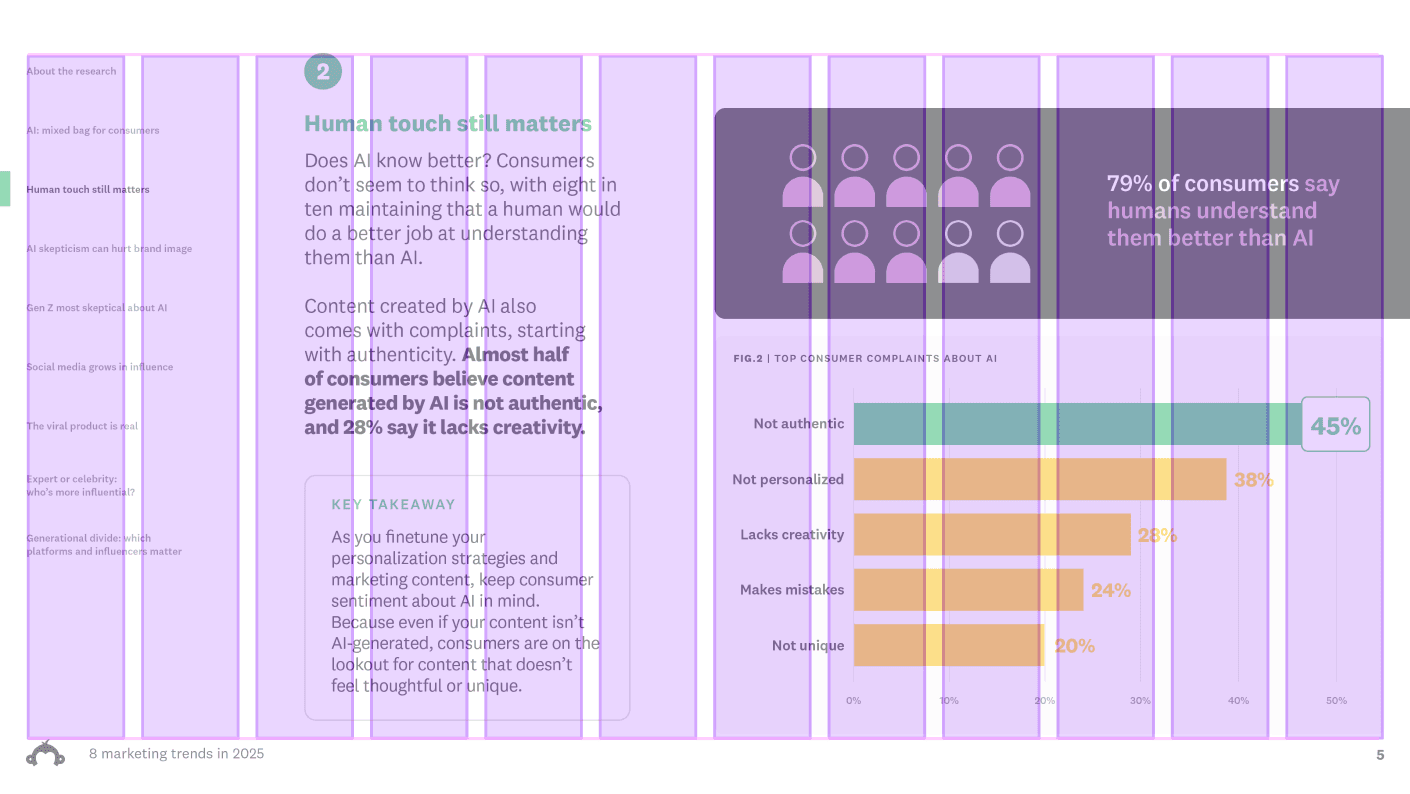
Base 12-column grid layout

Delivering on KPIs
Evaluating success
Modern - A bold flexible design system
We didn’t set out to create a horizontal guide with a dashboard philosophy. Landing on that solution was an unlock discovered in the process. A categorical win for modernization.
Relevant - Trend setting, delightful insights
An added benefit to increased spaciousness? It was easier to present information more clearly. Less finding a point, more getting to it.
Approachable - User centered design
No one likes a crowded room. Increasing white space so elements can breath and act is connected points of interest generated a design that “felt” approachable.
Trustworthy - Balanced, cohesive design
By tidying up and focusing on a principled approach, everything was in its “right” place creating consistency, dependability and trust.
in review
Replace table of contents with a persistent side nav as a new brand-able area inside the content journey
Dashboard approach to content journey
7-15% gains in design real estate by eliminating chapter pages and table of contents
Improved taxonomy for data visualization anatomy to increase accessibility
Introduction of illustration style to add editorial delight to information graphics
Future action items
With a digital first mentality, what would an interactive web guide look like? How would it function?
How can we incorporate parallax, motion design or animation in the guide experience?
In an interactive environment, is there space for video?
SurveyMonkey - Case Study: Modernizing MOFU Content Publication: Reports & Guides
SurveyMonkey Case Study: Modernizing MOFU Content Publication: Reports & Guides
SurveyMonkey - Case Study: Modernizing MOFU Content Publication: Reports & Guides
Role: Design Lead
Role: Design Lead
Role: Design Lead
Collaborators: Demand Gen, Brand Design, Content, User Research, Product Design
Collaborators: Demand Gen, Brand Design, Content, User Research, Product Design
Collaborators: Demand Gen, Brand Design, Content, User Research, Product Design
Problem
Brand impressions were down due to strategic pivots, tonal repositioning, competitive shifts and user beliefs
Customers felt the brand was outdated, generic, old, and untrustworthy. We needed to address these concerns in our content and collateral
We asked
How might we modernize the users MOFU content experience, drive engagement, address accessibility issues, and improve brand equity?
Solution
SurveyMonkey needed to be more:
Modern, Approachable,
Relevant, & Trustworthy
KPIs
Modern: A bold flexible design system Approachable: Clean user centered design
Relevant: Trend setting, delightful insights
Trustworthy: Balanced, cohesive design
Deliverables
A user focused template showcasing modular, portable components designed for accessibility
Problem
Brand impressions were down due to strategic pivots, tonal repositioning, competitive shifts and user beliefs
Customers felt the brand was outdated, generic, old, and untrustworthy. We needed to address these concerns in our content and collateral
We asked
How might we modernize the users MOFU content experience, drive engagement, address accessibility issues, and improve brand equity?
Solution
SurveyMonkey needed to be more:
Modern, Approachable,
Relevant, & Trustworthy
KPIs
Modern - A bold flexible design system
Approachable - Clean user centered design
Relevant - Trend setting, delightful insights
Trustworthy - Balanced, cohesive design
Deliverables
A user focused template showcasing modular, portable components designed for accessibility
Problem
Brand impressions were down due to strategic pivots, tonal repositioning, competitive shifts and user beliefs
Customers felt the brand was outdated, generic, old, and untrustworthy. We needed to address these concerns in our content and collateral
We asked
How might we modernize the users MOFU content experience, drive engagement, address accessibility issues, and improve brand equity?
Solution
SurveyMonkey needed to be more:
Modern, Approachable,
Relevant, & Trustworthy
KPIs
Modern: A bold flexible design system Approachable: Clean user centered design
Relevant: Trend setting, delightful insights
Trustworthy: Balanced, cohesive design
Deliverables
A user focused template showcasing modular, portable components designed for accessibility
Kickoff:
Audit, Research, and Discovery
Kickoff:
Audit, Research, and Discovery
Kickoff:
Audit, Research, and Discovery
Challenges and considerations
Evaluating content marketing we found areas to elevate the experience and create stand out brand moment to rebuild relevance and address our KPIs
Evaluating content marketing we found areas to elevate the experience and create stand out brand moment to rebuild relevance and address our KPIs
Evaluating content marketing we found areas to elevate the experience and create stand out brand moment to rebuild relevance and address our KPIs
Previous Content exp.
• 2 column layout: Encouraged large blocks of dense text
• An unbalanced photo experience: A mix of brand and stock photography
• Color: Applied decoratively and lacked a design motivation
• 2 column layout: Encouraged large blocks of dense text
• An unbalanced photo experience: A mix of brand and stock photography
• Color: Applied decoratively and lacked a design motivation
• 2 column layout: Encouraged large blocks of dense text
• An unbalanced photo experience: A mix of brand and stock photography
• Color: Applied decoratively and lacked a design motivation
• No clear infographic style: Hieroglyphics styled iconography and data visualizations to fill illustration gap
• No consistent navigation or T.O.C. (Table of Contents): Users dependent on memory to find information
• No clear infographic style: Hieroglyphics styled iconography and data visualizations to fill illustration gap
• No consistent navigation or T.O.C. (Table of Contents): Users dependent on memory to find information
• No clear infographic style: Hieroglyphics styled iconography and data visualizations to fill illustration gap
• No consistent navigation or T.O.C. (Table of Contents): Users dependent on memory to find information
Post audit action plan:
• Embed Design with Content at kickoff to clarify taxonomy, identifying points of emphasis, and create snackable, cross-channel, digestible bites.
• Collaborate with User Research to resolve friction points in the data consumption journey and improve decision-making tools.
• Simplify visuals: Less is more.
Post audit action plan:
• Embed Design with Content at kickoff to clarify taxonomy, identifying points of emphasis, and create snackable, cross-channel, digestible bites.
• Collaborate with User Research to resolve friction points in the data consumption journey and improve decision-making tools.
• Simplify visuals: Less is more.
Post audit action plan:
• Embed Design with Content at kickoff to clarify taxonomy, identifying points of emphasis, and create snackable, cross-channel, digestible bites.
• Collaborate with User Research to resolve friction points in the data consumption journey and improve decision-making tools.
• Simplify visuals: Less is more.
Revised design R01: Vertical design
Revised design R01: Vertical design
Revised design R01: Vertical design
How did we improve the experience?
Immediate impact
Immediate impact
Immediate impact
A deeper collaboration with our Content partners clarified function in content types and features, defined type hierarchy, and establish clear patterns to express information with improved accuracy
A deeper collaboration with our Content partners clarified function in content types and features, defined type hierarchy, and establish clear patterns to express information with improved accuracy
A deeper collaboration with our Content partners clarified function in content types and features, defined type hierarchy, and establish clear patterns to express information with improved accuracy
Base 12-column grid layout
Template Improvements
Landmarks of the new design
Landmarks of the new design
12 columns was the professional, flexible, and future-proof choice providing:
Flexibility Without Rigidity, Works Across Page Sizes, Editorial Precedent, Better Typographic Control, It Feels Structured but Invisible
12 columns was the professional, flexible, and future-proof choice providing:
Flexibility Without Rigidity, Works Across Page Sizes, Editorial Precedent, Better Typographic Control, It Feels Structured but Invisible
Select Content Discoveries:
Select Content Discoveries:
Key takeaways
Customer stories
Quote treatments
Attributions
Infographics
Key takeaways
Customer stories
Quote treatments
Attributions
Infographics
Wayfinding
Navigation
Card types
Advanced organizers
Type and icon rules
Highlights
• Clear table of contents and chapter pages to signal the change of subject and focus
• A cohesive color story focused on primary brand tones for a unified modern look and feel
• Clear table of contents and chapter pages to signal the change of subject and focus
• A cohesive color story focused on primary brand tones for a unified modern look and feel
• Standardize data visualization to improve comprehension
• Icons primary function as advanced organizers not decorative elements
• Standardize data visualization to improve comprehension
• Icons primary function as advanced organizers not decorative elements
• Prioritize user onboarding with hi fidelity product visualizations to showcase the product
• Less copy density and more white space to improve focus and legibility
• Prioritize user onboarding with hi fidelity product visualizations to showcase the product
• Less copy density and more white space to improve focus and legibility
• Infographic component to emphasize impactful data stories
• Explicit technical style guidance for brand cohesion (tables, methodologies, operations and framework graphics)
• Infographic component to emphasize impactful data stories
• Explicit technical style guidance for brand cohesion (tables, methodologies, operations and framework graphics)
UX: Navigation improvement
The top of page breadcrumb menu improved on the previous design without navigation
The top of page breadcrumb menu improved on the previous design without navigation
Stakeholder feedback revealed it wasn’t intuitively recognizable:
The top of page breadcrumb menu improved on the previous design without navigation
However, stakeholder feedback revealed this design wasn’t intuitively recognizable:
“We thought it just showed what section we were in but didn’t know it would take us to different chapters.”
However, stakeholder feedback revealed this design wasn’t intuitively recognizable:
“We thought it just showed what section we were in but didn’t know it would take us to different chapters.”
However, stakeholder feedback revealed this design wasn’t intuitively recognizable:
“We thought it just showed what section we were in but didn’t know it would take us to different chapters.”
remove Chapter pages to Improved UX
Design was holding to traditional content publication habits based on analog consumption
The T.O.C. and chapter pages could be eliminated or replaced to gain more real estate for relevant content and UX improvements
Design was holding to traditional content publication habits based on analog consumption
A table of contents and chapter pages could be eliminated or replaced to gain more real estate for relevant content and UX improvements
Design was holding to traditional content publication habits based on analog consumption
The T.O.C. and chapter pages could be eliminated or replaced to gain more real estate for relevant content and UX improvements
Product onboarding
Low-fi abstract product visual were replaced with high fidelity graphics to showcase true product capabilities
Low-fi abstract product visual were replaced with high fidelity graphics to showcase true product capabilities
Low-fi abstract product visual were replaced with high fidelity graphics to showcase true product capabilities
Dashboard approach R02:
A horizontal design
Dashboard approach R02:
A horizontal design
Dashboard approach R02:
A horizontal design
Immediate impact
Introduce horizontal layout to emulate desktop environment or slide deck
Pages functioned as dashboards
The new layout increased real estate and content breathing room to improve focus and specificity in content
Introduce horizontal layout to emulate desktop slide deck familiarity pages function as dashboards
New layout increased real estate and content breathing to improve focus and specificity to content
Persistent navigation allowed us to surface more granular information, eliminate a ToC and chapter pages to help users focus on specific areas of interest
Introduce horizontal layout to emulate a desktop environment. A slide deck familiarity pages function as dashboards
Persistent navigation allowed us to surface more granular information
Eliminating T.O.C. and chapter pages helped users focus on specific areas of interest by removing clutter
We also gained a new narrative space inside the nav itself and UX upgrade—nav as walk-through and a guide within the guide
Persistent navigation allowed us to surface more granular information
Eliminating T.O.C. and chapter pages helped users focus on specific areas of interest by removing clutter
We also gained a new narrative space inside the nav itself and UX upgrade—nav as walk-through and a guide within the guide
New layout increased real estate and content breathing to improve focus and specificity to content
We also gained a new narrative space in the nav as a UX upgrade - functioning as a walk through and guide within the guide
Base 12-column grid layout
Delivering on KPIs
Delivering on KPIs
Delivering on KPIs
Evaluating success
Modern - A bold flexible design system
We didn’t set out to create a horizontal guide with a dashboard philosophy. Landing on that solution was an unlock discovered in the process. A categorical win for modernization.
Relevant - Trend setting, delightful insights
An added benefit to increased spaciousness? It was easier to present information more clearly. Less finding a point, more getting to it.
Modern - A bold flexible design system
We didn’t set out to create a horizontal guide with a dashboard philosophy. Landing on that solution was an unlock discovered in the process. A categorical win for modernization.
Relevant - Trend setting, delightful insights
An added benefit to increased spaciousness? It was easier to present information more clearly. Less finding a point, more getting to it.
Modern - A bold flexible design system
We didn’t set out to create a horizontal guide with a dashboard philosophy. Landing on that solution was an unlock discovered in the process. A categorical win for modernization.
Relevant - Trend setting, delightful insights
An added benefit to increased spaciousness? It was easier to present information more clearly. Less finding a point, more getting to it.
Approachable - User centered design
No one likes a crowded room. Increasing white space so elements can breath and act is connected points of interest generated a design that “felt” approachable.
Trustworthy - Balanced, cohesive design
By tidying up and focusing on a principled approach, everything was in its “right” place creating consistency, dependability and trust.
Approachable - User centered design
No one likes a crowded room. Increasing white space so elements can breath and act is connected points of interest generated a design that “felt” approachable.
Trustworthy - Balanced, cohesive design
By tidying up and focusing on a principled approach, everything was in its “right” place creating consistency, dependability and trust.
Approachable - User centered design
No one likes a crowded room. Increasing white space so elements can breath and act is connected points of interest generated a design that “felt” approachable.
Trustworthy - Balanced, cohesive design
By tidying up and focusing on a principled approach, everything was in its “right” place creating consistency, dependability and trust.
in review
Replace table of contents with a persistent side nav as a new brand-able area inside the content journey
Dashboard approach to content journey
7-15% gains in design real estate by eliminating chapter pages and table of contents
Improved taxonomy for data visualization anatomy to increase accessibility
Introduction of illustration style to add editorial delight to information graphics
Replace table of contents with a persistent side nav as a new brand-able area inside the content journey
Dashboard approach to content journey
7-15% gains in design real estate by eliminating chapter pages and table of contents
Improved taxonomy for data visualization anatomy to increase accessibility
Introduction of illustration style to add editorial delight to information graphics
Replace table of contents with a persistent side nav as a new brand-able area inside the content journey
Dashboard approach to content journey
7-15% gains in design real estate by eliminating chapter pages and table of contents
Improved taxonomy for data visualization anatomy to increase accessibility
Introduction of illustration style to add editorial delight to information graphics
Future action items
With a digital first mentality, what would an interactive web guide look like? How would it function?
How can we incorporate parallax, motion design or animation in the guide experience?
In an interactive environment, is there space for video?
With a digital first mentality, what would an interactive web guide look like? How would it function?
How can we incorporate parallax, motion design or animation in the guide experience?
In an interactive environment, is there space for video?
With a digital first mentality, what would an interactive web guide look like? How would it function?
How can we incorporate parallax, motion design or animation in the guide experience?
In an interactive environment, is there space for video?
